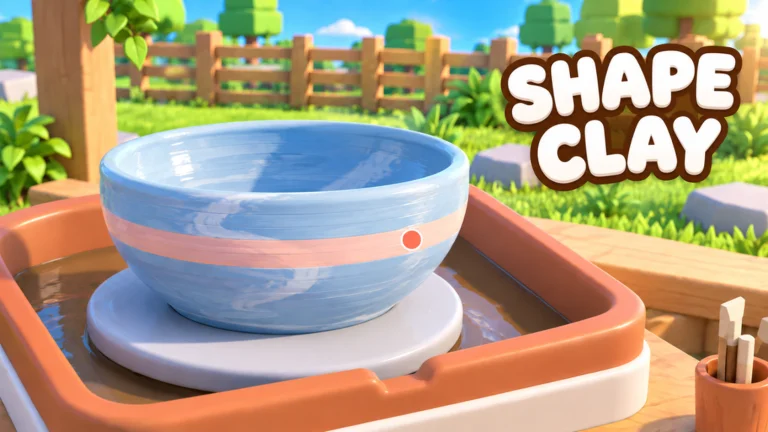
- Create Pottery unlocks open in stages: wheel, glaze, kiln, shop, jobs, then employees
- Early game: Master the full crafting cycle before spending Gems on extras
- Mid game: Unlock shop upgrades that remove your biggest production bottleneck
- Late game: Employees and rare Clay unlock full automation and premium income
- Best order: Fix bottlenecks first, cosmetics last
How Create Pottery Unlocks Work
Create Pottery, the relaxing pottery simulator from Team Lychee on Roblox, paces progression through a chain of unlocks. Each new feature builds on the last, turning a single clay wheel into a full pottery business. You start with basic clay shaping, then gradually unlock glazing, the kiln, shop sales, phone Jobs, Gems, and finally employee hiring.
Understanding this chain matters because spending too early on the wrong unlock slows your entire studio. The table below summarizes the core unlock chain:
| Unlock Stage | Feature | What It Does | When It Matters |
|---|---|---|---|
| 1 | Pottery Wheel | Shape clay into basic forms | From the start |
| 2 | Glaze | Add color and surface finish | After shaping is reliable |
| 3 | Kiln | Fire pieces into finished items | Required before selling |
| 4 | Shop | Sell pottery for cash income | Once firing is consistent |
| 5 | Phone Jobs | Structured tasks with rewards | Alongside shop sales |
| 6 | Gems | Premium progression currency | Spend on upgrades, not low-impact buys |
| 7 | Employees | Automate production and sales | When income covers their cost |
Every unlock depends on the one before it. A stable shaping-firing-selling loop funds everything else, so complete the full cycle consistently before branching into upgrades.
Early Game Unlocks: The Core Crafting Loop
Your first hours should focus entirely on the production chain: get clay, shape it, glaze it, fire it, sell it. Each finished sale funds the next material batch, and this loop is the engine behind every later unlock.
Get Clay
Collect clay before each crafting session. Different clay types affect the value and potential of the finished pottery, so save rarer clay for higher-value pieces.
Shape the Pottery
Use the pottery wheel to form a stable shape. Center the clay first, build the main body, then refine the rim before moving on.
Apply Glaze
Add glaze and decorations to customize the piece. Inspect the whole item before confirming so the finish is even.
Fire in the Kiln
Complete the firing stage to turn the decorated piece into a finished, sellable item.
Sell and Reinvest
Compare piece values before selling, then reinvest income into materials and early upgrades.
| Early Unlock | Priority | Why |
|---|---|---|
| Clay supply routine | ★★★★★ | No material means no production |
| Wheel shaping skill | ★★★★★ | Shape quality drives final value |
| Glaze access | ★★★★ | Improves appearance and sale appeal |
| Kiln usage | ★★★★★ | Required to finish every piece |
| Shop sales | ★★★★★ | Primary early income source |
Do not stockpile rare clay for no reason, and do not spend Gems immediately on low-impact options. Early Gems are best saved for shop features that support repeatable income.
Mid Game Unlocks: Shop Upgrades and Jobs
Once sales flow regularly, shop upgrades become the main unlock category. The right choice depends on your current bottleneck, not on price alone.
| Upgrade Area | Priority | Benefit | Best Time to Buy |
|---|---|---|---|
| Production capacity | High early | Handles more pottery output | When pieces outpace processing |
| Sales efficiency | High when sales lag | Moves finished items to customers faster | When stock accumulates unsold |
| Shop expansion | Medium | Room for a growing operation | After the core loop is reliable |
| Customer income | Medium-high | Better returns from customer flow | When traffic is already consistent |
| Business scale | Late game | Raises the ceiling of the business | After core upgrades are in place |
Phone Jobs
- Structured objectives with rewards
- Best combined with routine play
- Check the Jobs menu before each session
Rare Clay Processing
- Higher-value pottery per piece
- Reserve for strong shapes and glazes
- Funds mid-game upgrades faster
Gems Strategy
- Save for upgrades that scale
- Avoid low-impact early purchases
- Direct toward long-term expansion
Start every session by opening the Jobs menu. Pick objectives that overlap with what you already plan to do—making, firing, or selling pottery—so one session advances several goals at once.
Late Game Unlocks: Employees and Automation
Employees are the final major unlock, and timing them correctly separates profitable studios from stretched ones. Hire too early and costs outpace income; hire too late and production stalls.
| Studio Stage | Employee Action | Reasoning |
|---|---|---|
| Starting studio | Delay hiring | Build the core loop and savings first |
| Growing studio | Hire for the biggest bottleneck | Production help or sales support |
| Busy shop | Add staff for continuity | Keep routine work moving while you craft |
| Established business | Upgrade employees | More volume makes automation valuable |
| Optimization phase | Balance costs vs income | Cut back if staff do not improve output |
Only add employees when the extra output or sales activity justifies the ongoing expense. If income is tight, return to core shop upgrades before expanding payroll.
Unlock Progression Checklist
Use this checklist to track your studio's unlock milestones in order:
Studio Unlock Milestones:
- Complete the full shaping, glazing, firing, and selling cycle
- Establish steady shop income from finished pottery
- Unlock and routinely complete phone Jobs
- Purchase the first major shop upgrade for your bottleneck
- Hire the first employee once income is stable
- Reserve rare Clay for high-value production runs
FAQ
Q: What order should I unlock things in Create Pottery?
Follow the natural chain: pottery wheel shaping, glazing, kiln firing, shop sales, phone Jobs, then employees. Each unlock builds on the previous one, and the shaping-to-selling loop funds everything else.
Q: When should I hire my first employee?
Hire once your core production and sales loop is stable and regular income can cover the cost. Choose an employee for whichever part of the business most often stops your progress, whether that is production or sales.
Q: What should I spend Gems on first?
Save Gems for shop features and upgrades that support repeatable income rather than low-impact purchases. Mid game, direct them toward upgrades that help business expansion.
Q: Which shop upgrade is the best unlock?
There is no single best choice. If finished pieces pile up unsold, prioritize sales efficiency. If you cannot produce fast enough, prioritize production capacity. Match each unlock to your current bottleneck.